Clearing Accounts
In accounting, a clearing account acts like a temporary "waiting room" or a holding bucket for transaction amounts. These accounts are usually listed on your Balance Sheet to track balances that are temporarily resting there, waiting to be cleared out to a zero balance.
It's important to note that a clearing account doesn't hold actual cash — it holds a balance. Think of it like a bucket keeping a tally of what you owe. When an accounting event happens (like processing a pay run), an amount is added to the bucket. Later, when the actual money finally leaves your bank account, you match that bank payment against this account to clear the amount and empty the bucket.
If you keep adding amounts to the clearing account but never record the physical bank payments to clear them, the bucket will eventually overflow. This means your Balance Sheet will show inaccurate, ever-growing debts.

👣 Walkthrough
In this example, we will show you how to manually clear a Wages Payable account. Let's say you just processed a pay run to pay your employees $1,659. The system records the expense, and the $1,659 amount now sits in your "Wages Payable" account waiting to be cleared.
1 Have a look at your reports. You can see on the Profit & Loss (P&L) statement that there is an expense for the pay run. Over on the Balance Sheet, there is now a $1,659 liability sitting in Wages Payable.
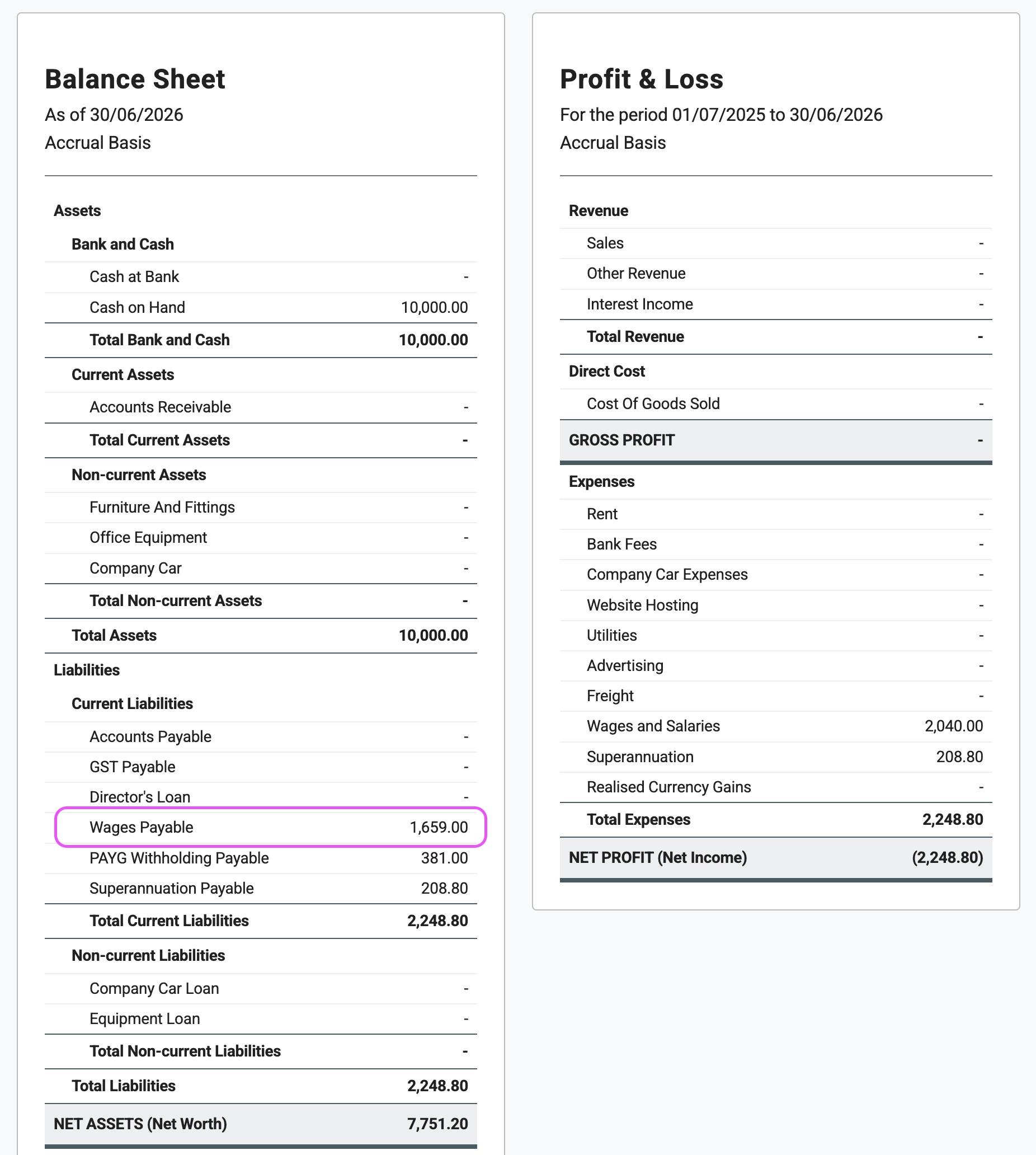
2 This amount represents what you owe. If you don't record the physical bank payment to clear it, this balance will continue to build up over time.
3 When you physically transfer the cash to pay your employees, the transaction will appear in your bank feed. You should code this bank payment directly to the Wages Payable account. Leave the tax code blank, as taxes were already handled on the pay run itself.
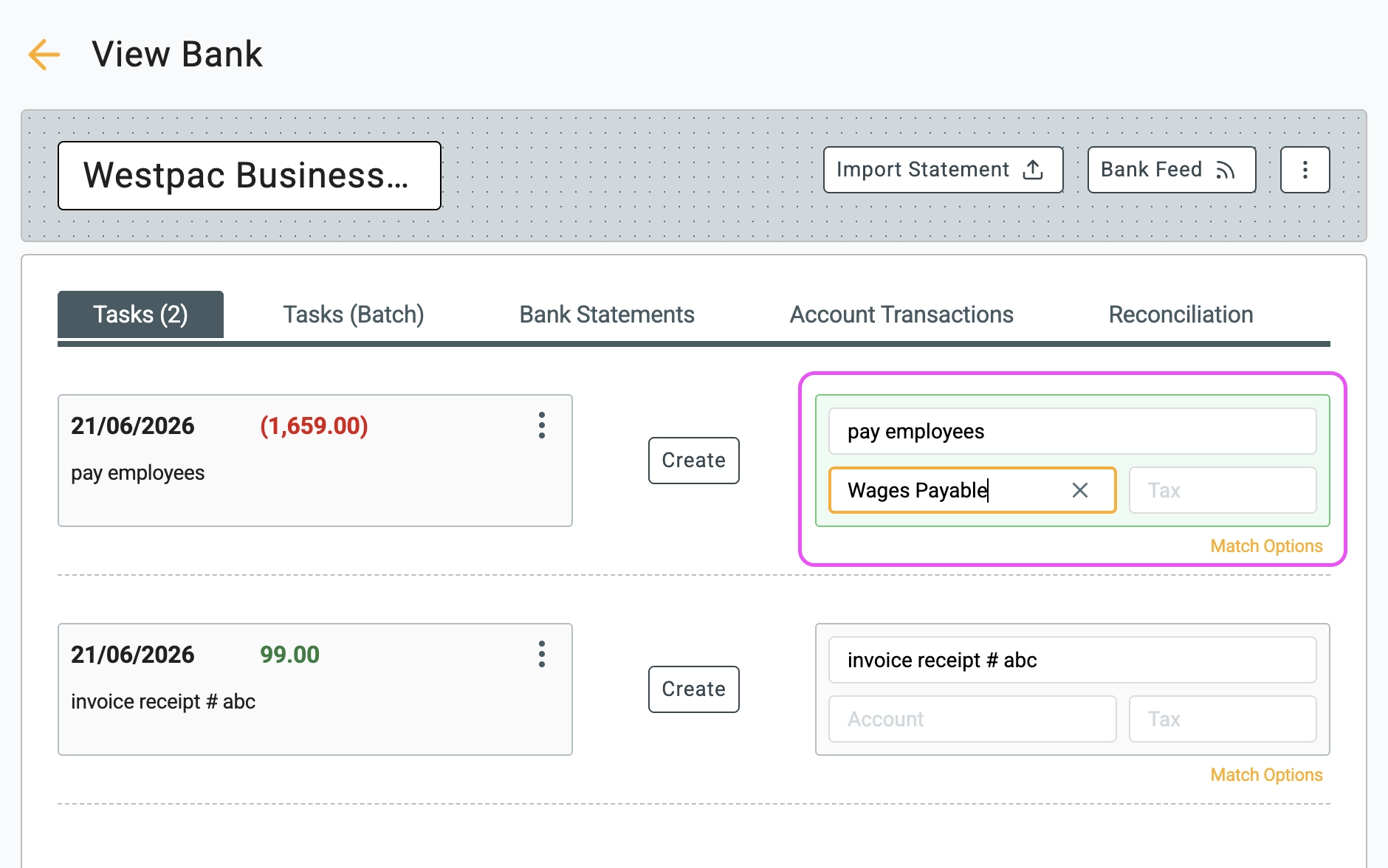
4 After you match and create this transaction, your "Wages Payable" account amount is cleared to zero, and your bank account balance is reduced by the original amount. The bucket is now empty!
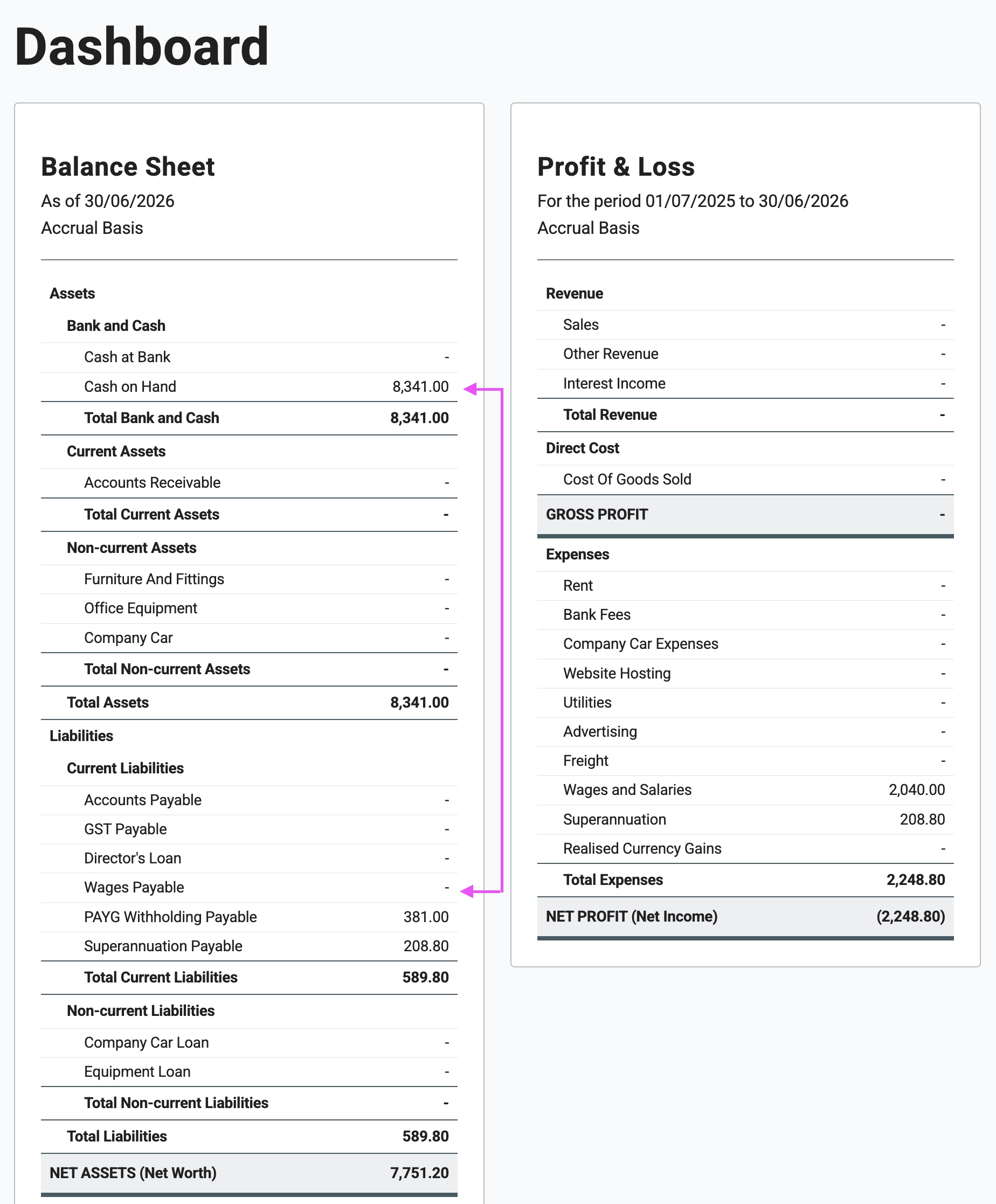
🏁 Results
This "waiting room" principle applies to all clearing and payable accounts. When you process a pay run, the system doesn't just create a Wages Payable balance. It also calculates employee taxes and retirement contributions, posting amounts to your PAYG Withholding Payable (or equivalent tax payable) and Superannuation Payable accounts.
The process to clear these is exactly the same:
- PAYG Withholding: The calculated employee tax amount sits in the PAYG Withholding Payable bucket. When you later pay the tax office (e.g., when paying your BAS or IAS), you code that specific portion of the bank payment directly to the PAYG Withholding Payable account to empty the bucket.
- Superannuation: The same applies when you submit your physical payment to your superannuation clearing house. You match the bank transaction to the Superannuation Payable account to clear the balance down to zero.
Best practice in real-world accounting is to keep a close eye on all of your clearing accounts. You should regularly review your Balance Sheet and ensure these amounts are being cleared out, especially before the end of the financial year.