- Overview
- Quick answer
- Key points
- What STP finalisation means
- Reconcile the 2025-26 payroll record
- If the 14 July deadline has passed
- How to correct STP after finalisation
- Do not mix finalisation with new-year setup
- Simple example
- Records to keep close
- Common STP finalisation mistakes
- How Gimbla fits the workflow
- Finalisation and correction checklist
- Frequently asked questions
- In short
STP Finalisation 2026: Missed Deadline and Corrections
Published June 4th, 2026 | Updated August 1st, 2026 | Team Gimbla

The usual STP finalisation due date for the 2025-26 financial year was 14 July 2026. If your business has not finalised, the practical job now is to reconcile the payroll record and submit the declaration as soon as possible. If you already finalised and then found an error, correct the employee’s year-to-date details promptly.
The work is not only a button press. Australian employers reporting through Single Touch Payroll should reconcile wages, PAYG withholding, allowances, deductions, super information, employee details and any corrections that affect the year just finished.
If you use Gimbla, use this article as the review checklist, then follow the STP finalisation user guide for the in-app steps once the payroll numbers are ready.
Missing the date does not make the reconciliation optional. Check the numbers, finalise promptly and correct any later error through the proper STP process.
Quick answer
The ATO’s finalising your STP data guidance says employers generally make a finalisation declaration by 14 July each year. The declaration tells the ATO that reporting is complete for an employee for that financial year, allowing the income statement to be shown as tax ready in ATO online services.
For 2025-26, the usual deadline was 14 July 2026 unless an extended due date or approved deferral applied. If you have not finalised, review the year-to-date payroll reports, fix known errors and lodge as soon as possible. If circumstances prevent lodgment, ask the ATO or a registered tax or BAS agent what applies to your situation rather than assuming extra time is automatic.
In Gimbla, the finalisation workflow lives under Spark -> Lodgements -> STP Finalisation. Use the Gimbla STP finalisation guide for the screen-by-screen submission path after the payroll review is complete.
If you discover an error after finalisation, the ATO says to lodge an update event with the corrected year-to-date details as soon as possible. If the correct details cannot be lodged immediately, follow the ATO’s guidance about removing the finalisation indicator and notify the affected employee because their income statement or tax return may need attention.
Key points
- STP finalisation tells the ATO that payroll reporting is complete for an employee for the financial year.
- The usual 2025-26 finalisation due date was 14 July 2026.
- Employees rely on finalised income statements when preparing tax returns.
- Finalisation does not replace payroll records, payslips, super records or accounting reconciliation.
- A missed deadline should be dealt with promptly; do not assume extra time applies.
- Post-finalisation errors should be corrected through an update event as soon as possible.
- The 2026-27 PAYG withholding tables apply from 1 July 2026, so do not mix old-year finalisation with new-year setup.
- Gimbla users should review payroll first, then finalise through Spark -> Lodgements -> STP Finalisation.
What STP finalisation means
During the year, STP reports payroll information to the ATO each payday. At year end, finalisation tells the ATO that reporting is complete for a particular employee for that financial year.
For small employers, that makes STP finalisation a quality-control step. The payroll software may submit the declaration, but the business still needs to know that the payroll information is complete and sensible.
| Area | What finalisation confirms | What to check first |
|---|---|---|
| Employee records | The employee’s STP record is ready to be treated as final for the year. | Name, TFN status, employment basis, start and termination details. |
| Pay information | Reported payroll amounts for the year have been completed. | Gross wages, paid leave, allowances, overtime, bonuses and other pay items. |
| PAYG withholding | Tax withheld through payroll has been reported for the year. | Employee tax settings, year-to-date withholding and any corrections. |
| Super information | Superannuation liability information reported through STP is complete. | Superable earnings, fund details, liability reports and payment records. |
| Corrections | The finalisation indicator is applied after known errors have been reviewed. | Out-of-cycle payments, termination payments, back pays and update events. |
The practical test is simple: if an employee, accountant or tax agent asks how the final income statement number was reached, the business should be able to trace it back through payroll reports and records.
Reconcile the 2025-26 payroll record
Start with the last pay run of the financial year, then work backwards through the year-to-date reports. The aim is not to recalculate every payslip by hand. It is to catch mismatches that often appear at EOFY.
| Checklist item | Why it matters | Useful evidence |
|---|---|---|
| Last June pay run | Final payroll totals often depend on whether a payment belongs before or after 30 June. | Approved pay run, payment date, payslips and bank payment record. |
| Employee details | Wrong employment or tax details can make the final income statement confusing. | Employee master file, TFN declaration details, start date and termination record. |
| Gross wages and salary | The main year-to-date amount should agree with payroll reports and the accounting record. | Payroll summary, wages expense report and employee year-to-date report. |
| Allowances and deductions | STP Phase 2 categories can make vague pay items harder to fix late. | Pay item list, allowance mapping and deduction authorisations. |
| PAYG withholding | Employees and tax agents rely on the final withholding amount when preparing tax returns. | Payroll withholding report, activity-statement labels and pay-run summaries. |
| Super information | Super liability information should line up with payroll categories and payment records. | Super liability report, super fund details and payment or clearing house records. |
| Termination payments | Final pay, unused leave and employment termination payments can affect reporting categories. | Termination calculation, final payslip and STP payment category review. |
| Corrections and update events | Known payroll errors should be corrected before finalisation, or through an update event if already finalised. | Correction notes, update event history and employee communication if needed. |
Run this review even though the usual due date has passed. Rushing the declaration without checking the record can create a second job later if an employee’s income statement has to be amended.
If the business is lodging through Gimbla, finish the review before clicking Report Finalisation and Submit to ATO. The user guide is the submission path; the checklist above is the evidence review that should happen first.
If the 14 July deadline has passed
Do not submit numbers you know are incomplete simply to catch up. Finish the reconciliation, correct known errors and lodge the finalisation declaration as soon as the record is ready.
Use this sequence:
- Confirm the final June pay run, termination payments and out-of-cycle payments have been included in the correct financial year.
- Compare employee year-to-date totals with payroll, withholding, super and accounting reports.
- Correct known errors in the payroll software.
- Submit the finalisation declaration through STP-enabled software and keep the submission evidence.
- If you cannot lodge, or believe an extended due date or deferral may apply, contact the ATO or a registered tax or BAS agent for guidance specific to the business.
The date passing does not change which figures belong to 2025-26. Keep old-year corrections separate from the settings used for the first 2026-27 pay run.
How to correct STP after finalisation
Finding an error after finalisation does not mean the record must stay wrong. Correct the employee’s year-to-date information in the payroll software and lodge an update event as soon as possible.
If correct details cannot be lodged immediately, follow the ATO’s instructions about removing the finalisation indicator so the incorrect information is not treated as tax ready. Tell the affected employee that their income statement has changed, particularly if they have already lodged a tax return and may need to seek advice about an amendment.
Keep a short correction trail: what was wrong, what changed, when the update event was lodged and when the employee was notified. That evidence helps the business, its adviser and the employee understand the revised amounts.
Do not mix finalisation with new-year setup
STP finalisation closes the year just finished. July payroll setup opens the next year. They happen close together, but they are different jobs.
The 2026 PAYG withholding tables were published for software developers in May 2026 and apply from 1 July 2026. That matters for the first 2026-27 pay run, not for changing the payroll amounts that belong to 2025-26.
Keep three checks separate:
- Finalise 2025-26 payroll: reconcile the year just finished and lodge the finalisation indicator.
- Set up 2026-27 payroll: check tax tables, pay rates, super settings and employee records for July.
- Review future payroll changes: plan around Payday Super, SBSCH closure and any other changes that affect cash flow or payroll timing.
This separation helps avoid a common mistake: trying to fix an old-year mismatch by changing a new-year payroll setting. Fix the record in the right period.
Simple example
Imagine a small design studio has two employees. The owner finalises STP, then notices that one allowance was reported under the wrong pay item for several pay runs. The year-to-date total is therefore not correctly categorised on one employee’s income statement.
The owner fixes the payroll categorisation, checks the revised employee year-to-date report and lodges an update event as soon as possible. The owner also tells the employee that the income statement has changed and keeps the correction and submission records with the payroll file.
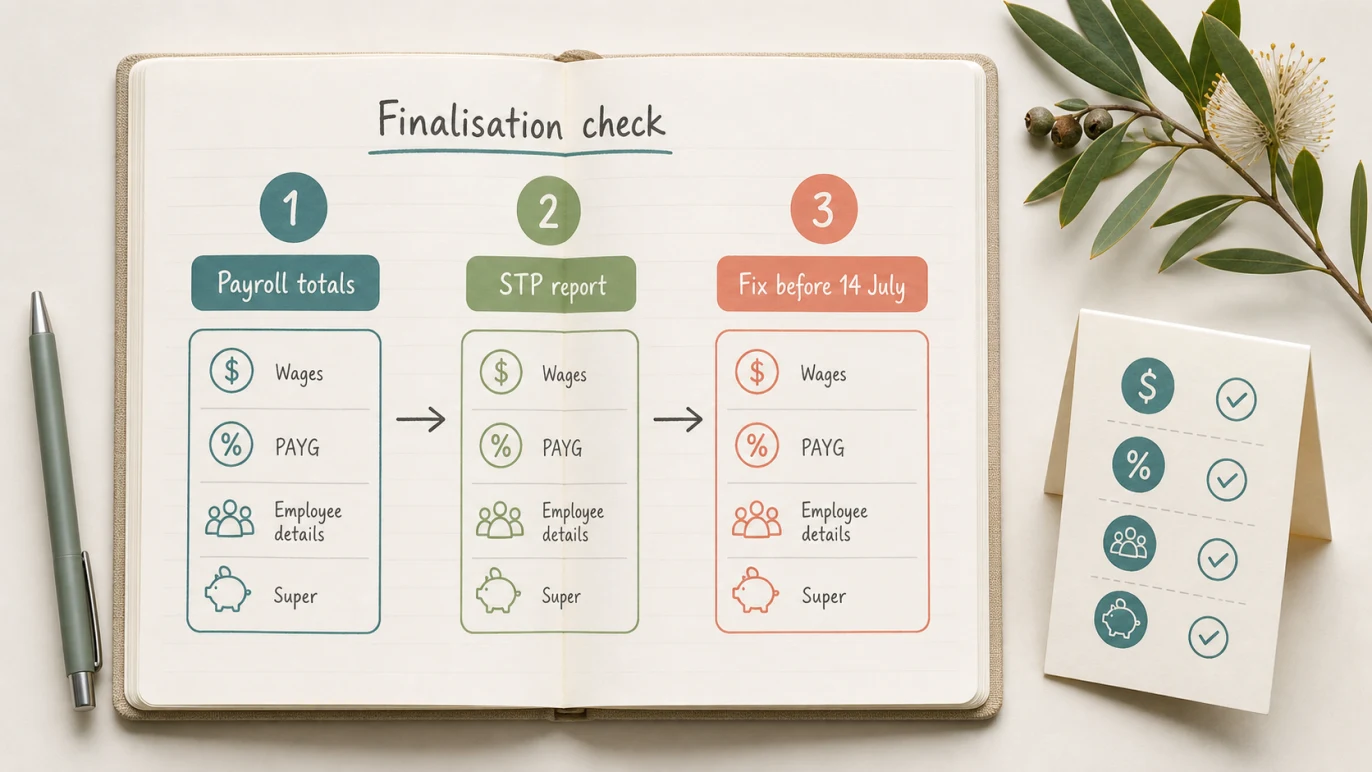
The example is small, but the habit is the same for larger employers: compare payroll totals, check the STP report, correct the record, lodge the update and notify the affected employee.
Records to keep close
STP finalisation does not remove the employer’s record-keeping obligations. The Fair Work Ombudsman’s record-keeping and pay slips fact sheet says employers must make and keep accurate and complete records for employees and issue payslips.
For an EOFY payroll file, keep the records that explain the finalised amounts:
- payroll summary report for the year
- employee year-to-date reports
- final June pay-run approval
- payslips and payment records
- PAYG withholding report
- super liability and payment records
- termination calculations, where relevant
- correction notes or update event history
- the submitted finalisation report, if lodged through Gimbla
- adviser review notes, if an accountant or bookkeeper checked the file
These records make later questions easier to answer. They also help connect payroll with the accounting file, BAS or IAS work, management reports and adviser review.
Common STP finalisation mistakes
Finalising before the last payment is reviewed
Check whether the final June pay run, bonus, back pay or termination payment has been included correctly. If a payment belongs to the financial year, it should be handled before the year is treated as complete.
Assuming STP replaces payslips
STP reports payroll information to the ATO. It does not remove the need to issue payslips or keep employee pay records. Treat STP and payslips as connected records, not substitutes.
Ignoring terminated employees
Some employees leave during the year. Their records may already have been finalised, or they may still need review. Check terminated employees before submitting the year-end declaration for the business.
Letting payroll and bookkeeping disagree
Payroll totals should make sense beside wage expenses, PAYG withholding liabilities, super liabilities and bank payments. A difference does not always mean payroll is wrong, but it should be explained before finalisation.
Leaving a post-finalisation error unresolved
An employee may already have used the earlier income-statement information. Correct the record promptly, follow the update-event process and tell the employee that the information has changed.
How Gimbla fits the workflow
Gimbla is built for small businesses that want payroll and accounting records in one place. That matters at STP finalisation because the useful workflow is not only lodgment. It is employee setup, pay-run approval, PAYG withholding, super information, STP reporting and accounting records that can be checked together before the declaration is submitted.
Once the payroll review is complete, follow the Gimbla STP finalisation user guide. The guide shows the in-app path: Spark -> Lodgements -> STP Finalisation, then selecting the financial year, choosing employees, reporting finalisation and submitting the declaration to the ATO.
| Stage | Gimbla step | Why it matters |
|---|---|---|
| Prepare the record | Review employees, pay runs, payroll reports and STP setup. | Finalisation should be based on complete year-to-date payroll data. |
| Open finalisation | Go to Spark -> Lodgements -> STP Finalisation. | The finalisation screen is where you choose the financial year and employees. |
| Submit the declaration | Select employees, click Report Finalisation and submit to the ATO. | This applies the finalisation indicator for the selected employees. |
| Keep evidence | Open the submitted report from the YTD column after successful submission. | The submitted report helps support adviser review and later payroll questions. |
If you are setting up STP for the first time, start with the Gimbla Single Touch Payroll page and the register your software ID guide. For the wider payroll workflow, use Payroll for Small Business in Australia and the What Is Single Touch Payroll Software? guide.
If your EOFY review also includes new-year payroll changes, the Australian financial year guide, Annual Wage Review 2026 checklist and SBSCH closure and Payday Super checklist are the natural next reads.
Finalisation and correction checklist
If finalisation is overdue, run this review now. If you are correcting an already-finalised record, use the same evidence to support the update:
- Confirm every employee who should be finalised is included.
- Check terminated employees and final pays.
- Compare employee year-to-date totals with payroll summary reports.
- Review gross wages, allowances, deductions and unusual pay items.
- Check PAYG withholding totals.
- Review super liability information and fund details.
- Confirm corrections and update events have been handled.
- Save payroll reports and supporting records.
- Ask your accountant or bookkeeper to review anything unclear.
- If you use Gimbla, follow the STP finalisation user guide and submit from Spark -> Lodgements -> STP Finalisation.
- Submit the finalisation or update event through STP-enabled software as soon as the reconciled record is ready.
Frequently asked questions
When was STP finalisation due for 2026?
The usual due date for the 2025-26 STP finalisation declaration was 14 July 2026, unless an extended due date or approved deferral applied.
What should I do if I missed the STP finalisation deadline?
Reconcile the payroll records and submit the finalisation declaration as soon as possible. If circumstances prevent lodgment, contact the ATO or a registered tax or BAS agent about the appropriate next step rather than assuming extra time applies.
How do I correct STP after finalisation?
Lodge an update event with the corrected year-to-date details as soon as possible. If correct details cannot be lodged immediately, follow ATO guidance about removing the finalisation indicator and tell the affected employee that their income statement has changed.
Where do I finalise STP in Gimbla?
In Gimbla, go to Spark -> Lodgements -> STP Finalisation. Choose the financial year, select the employees, click Report Finalisation and submit the declaration to the ATO. The STP finalisation user guide shows the screen-by-screen path.
Does STP finalisation replace payroll records?
No. Employers still need accurate payroll records, payslips and supporting documents. STP finalisation is a reporting declaration, not a replacement for employment records or accounting records.
In short
The 2025-26 STP finalisation deadline has passed, but accuracy still comes first. Reconcile the payroll file, submit any outstanding finalisation promptly and use an update event to correct an already-finalised employee record. Keep the evidence and notify employees when their information changes.